Notes > Using Notes > Editing a Note

Editing a Note

Notes may be edited for a Note Service by using CygNet Explorer or by using applicable tools, like a Trend Tool. The following instructions explain how to edit a note by using CygNet Explorer, but most of the steps apply to editing a note from any applicable interface.

To Edit a Note

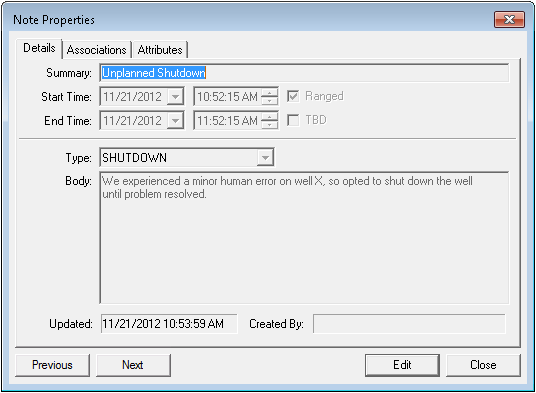
  1. Using CygNet Explorer, select an existing note, then double-click it. A Note Properties dialog box like the following appears:

Click for more information

  1. Click Edit to enable editing of fields.
  2. Use the enabled options to edit the note. Your level of security determines what you may edit.
  3. When you are done, click OK to save and exit.

For details about note properties, see also Creating a Note, Associating Items with a Note, and Assigning Note Attribute Values.


Let us know how we can improve this topic.

CygNet at weatherford.com

© 2020 Weatherford. All rights reserved.